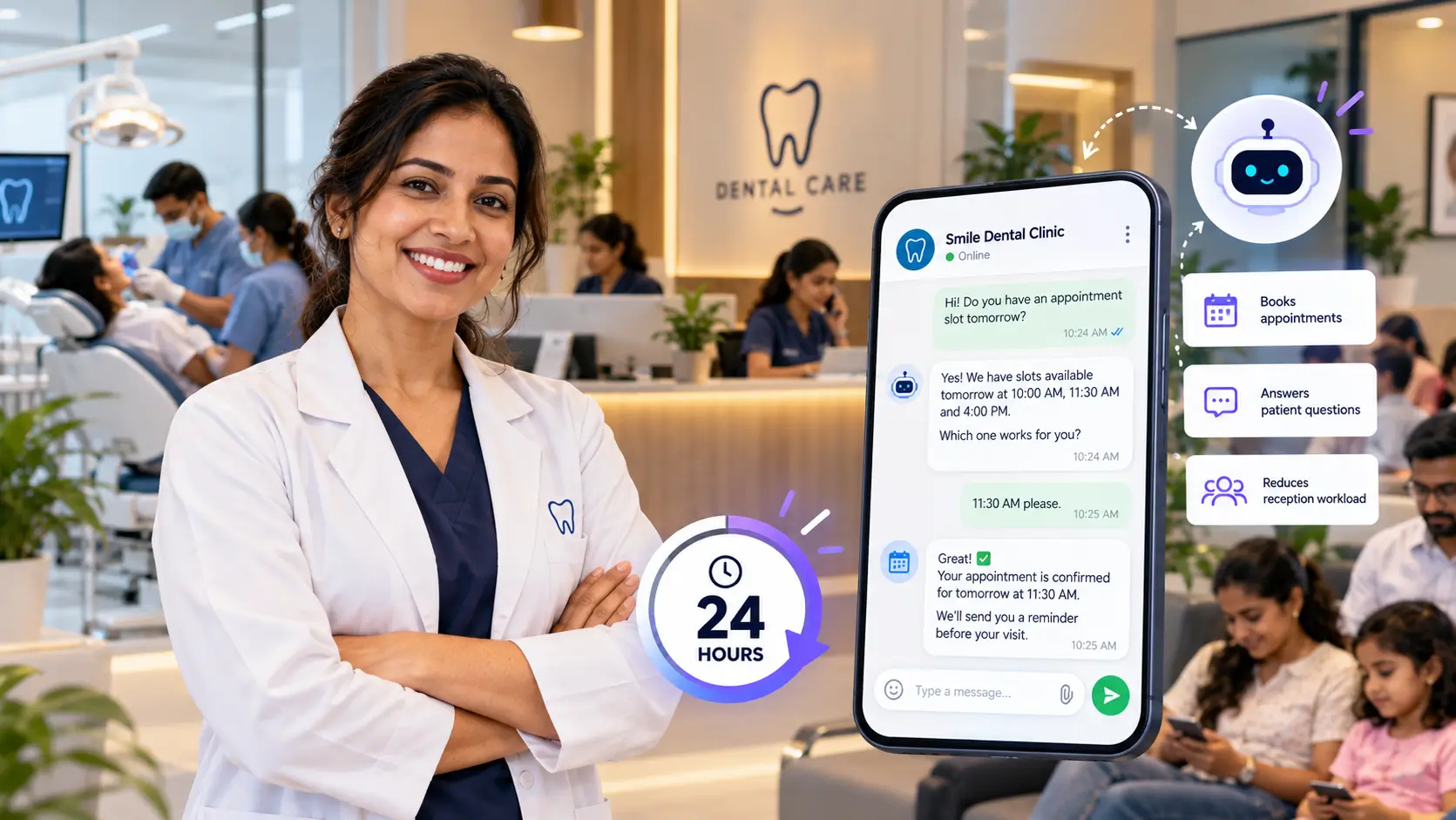

When Priya first reached out to us, she was exhausted. She runs a busy dental clinic in Pune — 3 dentists, 2 receptionists, and a waiting room that’s almost always full. By every measure, her clinic was doing well. Patients loved the care they received. Reviews were glowing. Word-of-mouth was strong.
But there was one problem that kept her up at night. “I keep missing people,” she told us. “Someone messages us at 9pm asking about a root canal appointment and by the time we reply the next morning — they’ve already booked somewhere else. I know I’m losing patients every week and I can’t do anything about it.”
She wasn’t wrong. After a quick look at her website analytics, we could see that nearly 40% of her website visitors were coming after 7pm — long after her reception desk had closed for the day. Every one of those visitors was a potential patient. And almost none of them were converting. This is what we did about it — and how we had set up AI chatbot for local business: live on her website in under 24 hours.
The Problem in Plain English
Priya’s clinic had a website. It looked professional, had all the right information, and even had a contact form at the bottom of the page.
But a contact form is passive. It sits there and waits. It doesn’t engage. It doesn’t answer questions. It doesn’t say “Hi, how can I help you today?” at 10pm when someone is anxiously searching for a dentist after a toothache woke them up.
The result was a consistent, silent leak of patients — people who visited, found no one to talk to, and left.
Sound familiar? It’s one of the most common problems we see with small business websites. The website looks great but it doesn’t work after hours.
What We Set Up — And Why
After a short conversation with Priya about her clinic, her most common patient questions, and what she needed the chatbot to handle, we got to work.
Here’s exactly what we configured for her:
1. A Friendly, Branded Welcome Message
The first thing visitors see when they land on her website is a small chat bubble in the bottom right corner. When they click it, the chatbot opens with:
“Hi there! I’m Denta, the virtual assistant for [Clinic Name]. How can I help you today?”
Simple. Warm. Immediate. No patient feels like they’re talking to a robot — they feel like they’ve been greeted.
2. Training on Her Most Common Questions
We asked Priya to share the 20 questions her receptionists answer most often. Things like:
- What are your opening hours?
- Do you accept insurance?
- How much does a teeth cleaning cost?
- How do I book an appointment?
- Is parking available?
- Do you treat children?
We fed all of this into the chatbot along with her full website content. Within a couple of hours the chatbot knew her clinic better than most new receptionists would on their first day.
3. Appointment Booking Integration
This was the part Priya was most excited about. Instead of just answering questions, the chatbot was configured to collect patient details — name, phone number, preferred appointment date and time — and send them directly to her reception team via email.
So even at midnight, if someone wants to book an appointment, the chatbot handles it. Priya’s team wakes up the next morning to a list of appointment requests ready to confirm — instead of a list of missed opportunities.
4. Escalation for Complex Questions
Not every question has a simple answer. For anything the chatbot couldn’t handle confidently — complex treatment queries, insurance billing questions, specific medical concerns — it was set up to say:
“That’s a great question and I want to make sure you get the right answer. Let me connect you with our team — could you leave your name and number and we’ll call you back within a few hours?”
It never guesses. It never makes up an answer. It captures the lead and hands it over gracefully.
The 24-Hour Timeline — Exactly What Happened
Here’s how the setup looked hour by hour:
Hour 0–1: Discovery call We spent 45 minutes with Priya going through her clinic, her patients, and her goals. We asked about the most common questions, the tone she wanted (friendly but professional), and what she wanted the chatbot to prioritise.
Hour 1–3: Building and training We created her NexChatBot sub-account, set up the chatbot, and trained it on her website content and the FAQ document she sent us. We configured the welcome message, the appointment capture flow, and the escalation responses.
Hour 3–4: Testing We ran through 30+ test questions — everything from “do you do veneers?” to “what happens if I need to cancel?” — to make sure every answer was accurate, natural, and helpful. We tweaked a few responses and added some local context she mentioned during the call.
Hour 4–5: Installing on her website We sent Priya a single line of code to add to her website. Her web designer added it within 20 minutes. The chatbot was live.
Hour 5–24: Monitoring We kept an eye on the first conversations coming through — checking that everything was working correctly, that no questions were being mishandled, and that the appointment capture was sending emails to the right place.
By the end of the first 24 hours — the chatbot was live, tested, and working.
The Results — One Month Later
We checked in with Priya 30 days after her chatbot went live. Here’s what she told us:
“In the first month, the chatbot handled 340 conversations — 218 of those happened completely outside our opening hours. We received 47 appointment requests through the chatbot and confirmed 41 of them. That’s 41 new patient appointments we would have definitely missed before.”
To put that in perspective:
- Her average patient visit value: approximately ₹2,500
- 41 appointments × ₹2,500 = ₹1,02,500 in revenue in the first month alone
- Her NexChatBot plan cost: $89/month
The chatbot paid for itself within the first two days.
But beyond the numbers, Priya mentioned something that stuck with us:
“My receptionists are less stressed. They used to come in every morning to a flood of missed calls and messages to chase up. Now the chatbot has already handled most of it. They can focus on the patients in front of them instead of playing catch-up all day.”
What This Looks Like for Other Businesses
Priya’s story isn’t unique. We’ve set up chatbots for restaurants that handle table reservation enquiries after closing time, for coaches who capture consultation requests during weekends, for e-commerce stores that answer product questions during the night — and for all of them the result is the same.
More conversations. More leads. More conversions. Without hiring extra staff.
The businesses that benefit most from an AI chatbot are ones where:
- Customers ask similar questions repeatedly
- Enquiries come in outside business hours
- Response speed matters to the customer’s decision
- The team is too busy to respond instantly during the day
If any of those sound familiar — a chatbot is probably the right next step.
How We Do It — The NexChatBot Process
Every setup we do follows the same process:
Step 1 — Short discovery conversation (30–45 minutes) We learn about your business, your customers, and what you need the chatbot to handle.
Step 2 — Build and train We create your chatbot, train it on your website and FAQ content, and configure the conversation flows.
Step 3 — Test thoroughly We run through dozens of real customer questions to make sure everything works perfectly before it goes live.
Step 4 — Install on your website One line of code. We guide you or your developer through it — takes under 10 minutes.
Step 5 — Monitor and refine We watch the first conversations to catch anything that needs tweaking.
Total time from first conversation to live chatbot: under 24 hours.
Want the Same for Your Business?
If you’re reading this and thinking “my business has exactly this problem” — you’re probably right.
Most small business websites are losing enquiries every single day simply because there’s no one available to respond instantly. A chatbot doesn’t replace your team — it supports them. It handles the repetitive, after-hours, high-volume stuff so your people can focus on what they do best.
We offer a completely free trial — fully set up by us, live on your website, no technical work on your end.
If you want to see what it looks like for your specific business, start your free trial at nexchatbot.com/free-trial and we’ll get it running within 24 hours.
NexChatBot helps small businesses capture more leads and answer customer questions automatically — 24 hours a day, 7 days a week. Plans start at $89/month. Visit nexchatbot.com to learn more.