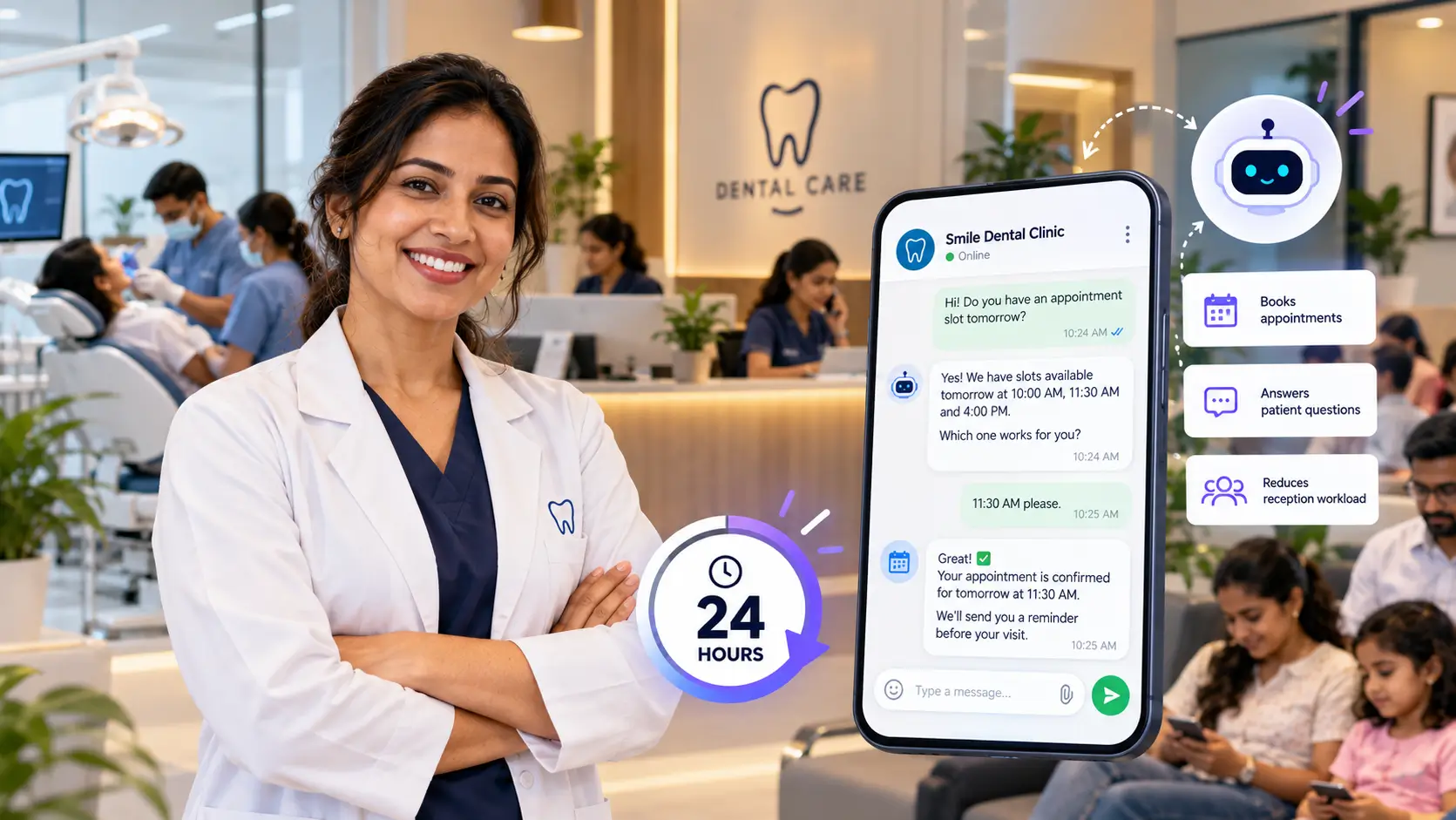


How can chatbots help in healthcare? Mostly by taking over the work that eats up the front desk all day: booking appointments, answering the same ten questions, sending reminders, and collecting forms. Chatbots in healthcare aren’t about robot doctors. They’re about the unglamorous side of running a clinic, which is where a lot of clinics lose time, money and patience.
Think about a normal Monday at a small clinic. The phone starts ringing before the doors open. Someone wants to move their appointment. Someone else asks whether the doctor sees children, what the consultation fee is, and if there’s parking. Meanwhile a patient is standing at the counter filling in a paper form for the third time this year. Your staff are doing their best, but they can’t do all of that at once, and the patients who can’t get through simply go elsewhere.
A well-set-up chatbot covers a good part of that load. It answers instantly, works at night and on weekends, and passes the conversation to a person when it should. This guide answers one question: how can chatbots help in healthcare? It covers ten specific use cases, the limits you should respect, and what to check on privacy before you switch one on. It’s written for clinic owners, hospital administrators, dental practices, diagnostic labs and anyone else who runs the business side of care.
Why chatbots in healthcare are catching on
The pressure on clinics isn’t imaginary, and a few numbers show where it comes from.
Missed appointments are common. A systematic review of outpatient no-shows, published in the journal Health Policy, found an average no-show rate of about 23% across the studies it covered, ranging from 13.2% in Oceania to 43% in Africa (Dantas et al., 2018). Every empty slot is a doctor who is still being paid and a patient who could have used that time.
Paperwork takes real hours. The American Medical Association’s 2024 survey of 1,000 physicians found that practices handle an average of 39 prior authorization requests per physician each week, and that physicians and their staff spend around 13 hours a week on them (AMA). That’s one example from the US insurance system, but the pattern is familiar everywhere: skilled people spending hours on tasks that aren’t care.
Patients expect an instant reply. People are used to getting an answer from their bank, their delivery app and their airline within seconds. When a clinic’s phone rings out, the patient doesn’t think “they must be busy.” They think “I’ll try the next clinic.”
So how can chatbots help in healthcare if they can’t fix all of that? By removing a big chunk of the repetitive load, so your people are free for the parts of the job that need a human.
How can chatbots help in healthcare? 10 real use cases
These are the use cases that come up most often when clinics, hospitals and diagnostic centres put a chatbot to work. The first five face the patient directly.
1. Booking, rescheduling and cancelling appointments
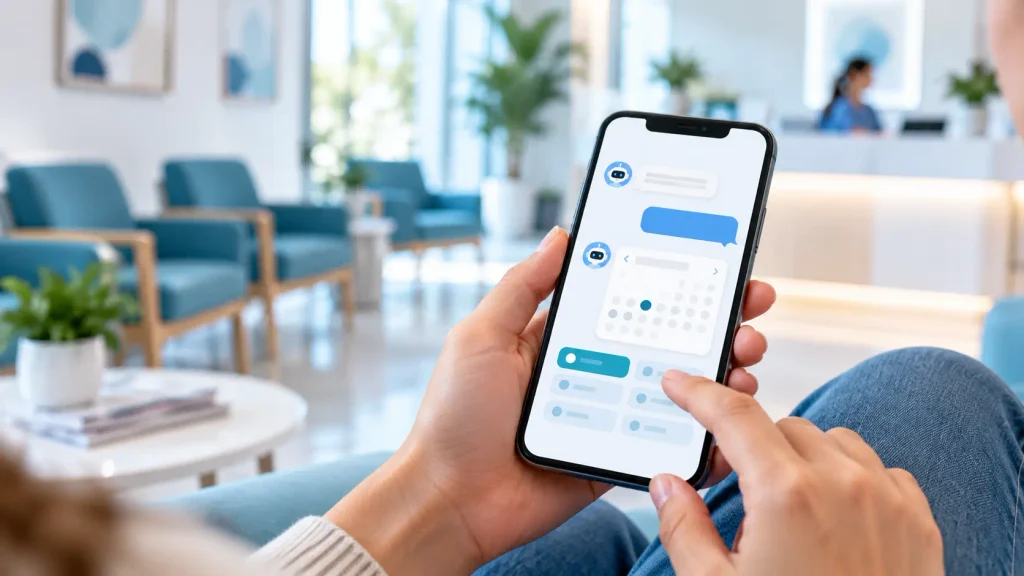
This is usually the first thing a clinic automates, and for good reason. A patient says “I need to see a dermatologist on Thursday evening,” and the chatbot checks the calendar, offers the open slots, and confirms. If the patient needs to move it, they say so in the same chat instead of calling and waiting on hold.
The bigger gain is the cancellations. When someone can cancel in ten seconds at midnight, the slot goes back into the pool in time for someone else to take it. When cancelling means a phone call during office hours, many people just don’t turn up.
2. Answering the questions your front desk answers fifty times a day
What are your timings? Is Dr. Mehta available on Saturdays? How much is a first consultation? Do you accept my insurance? Where do I park? Do I need to fast before the blood test?
None of these need a medical professional, and none of them need to interrupt someone who is helping a patient in the room. A chatbot trained on your own information answers them straight away, and the answers stay consistent because they all come from the same source.
3. Appointment reminders that people actually respond to
Reminders are one of the better-proven tools against missed appointments. A Cochrane review of eight randomised trials found that text message reminders raised attendance compared with no reminder, with about 78.6% of patients attending against 67.8% without one, though the authors rated the certainty of the evidence as low to moderate and called for better trials (Cochrane). That review was about plain text messages, not chatbots, so treat it as evidence for the idea rather than a promise. A chatbot takes the idea a step further: the reminder isn’t a dead-end text. The patient can reply “confirm,” “reschedule” or “I need directions” and get it sorted right there.
4. Patient intake before the visit
Filling in forms on a clipboard in the waiting room is slow for the patient and slower for the staff who then retype it. A chatbot can collect the basics ahead of time: reason for the visit, symptoms in the patient’s own words, current medicines, allergies, and insurance details. The doctor opens the file with the information already there, and the visit starts with a conversation instead of a questionnaire. A 2024 systematic review of 18 studies on chatbots for taking medical history found benefits in data completeness, patient engagement and time saved, while also warning that the evidence is small and mixed in quality ([JMIR Medical Informatics](https://medinform.jmir.org/2024//e56628)).
5. Help outside working hours
Patients don’t get worried about a test result or a medicine dose between nine and five only. A chatbot gives them somewhere to go at 10 p.m.: clinic information, how to prepare for tomorrow’s procedure, how to book the earliest slot, or, if what they describe sounds urgent, a clear message to call emergency services or the clinic’s emergency line.
That last part matters. After-hours coverage is useful because it’s immediate, but only if the bot knows when to stop answering and point toward a person.
The next five uses of chatbots in healthcare are about your staff, your revenue and how the business runs.

6. Billing, payment and insurance questions
“Can you send me my invoice?” “How do I pay online?” “Is this procedure covered?” Billing queries are repetitive and time-consuming, and they land on the same two or three people. A chatbot can share payment links, resend invoices, explain which documents a claim needs, and tell a patient where their payment stands, all without a person touching it.
For anything involving a dispute or a specific patient’s account, it should hand over to your billing team. The goal is to clear the simple questions, not to argue with someone about a charge.
7. Labs and diagnostic centres: preparation, bookings and report updates
Diagnostic businesses have a very particular pattern of questions. How long should I fast? Is home sample collection available in my area? When will my report be ready? A chatbot can handle test preparation instructions, book home collection slots, and send a message when a report is ready to download. That cuts a large share of the “is it done yet?” calls.
8. Follow-ups and reminders after the visit
Care doesn’t end when the patient leaves. A chatbot can send post-visit instructions, remind a patient to take a course of medicine, ask how recovery is going a few days later, and prompt a booking for the next check-up. For clinics that treat long-term conditions, those small nudges are a gentle way to keep people on track.
It can also collect feedback while the visit is fresh. A two-question message right after the appointment gets far more replies than an email a week later, and it tells you what’s working before a complaint turns into a bad review.
9. Sending each patient to the right place, with the details attached
A lot of calls to a hospital are really “who do I talk to?” A chatbot can ask a couple of simple questions and route the patient to the right department, doctor or service. It isn’t diagnosing anything. It’s doing what a good receptionist does, which is pointing people in the right direction.
When a human does need to step in, the conversation arrives with the patient’s name, reason for contact and what’s already been said. Staff don’t have to ask the same questions again, and the patient doesn’t have to repeat their story, which is one of the most irritating parts of calling any large organisation.
10. Turning website visitors into new patients
People researching a clinic, a health check-up package or a procedure often visit your website late in the evening, ask themselves a question, find no answer, and leave. A chatbot catches them at that moment. It can explain what you offer, share pricing for packages, and book a consultation or take a phone number so your team can follow up in the morning.
There’s a bonus here too. Every conversation shows you what patients actually want to know. If a hundred people a month ask whether you do weekend appointments, that’s not just a question to answer. It’s a hint about what to change in your schedule or on your website.
Chatbot or AI voice agent: which one does your clinic need?
Many healthcare businesses still get most of their patient contact on the phone, especially older patients and anyone in a hurry. That’s where an AI voice agent comes in. It does the same kind of job as a chatbot, but it speaks and listens, so a patient can call your number and get through without waiting for someone to pick up.
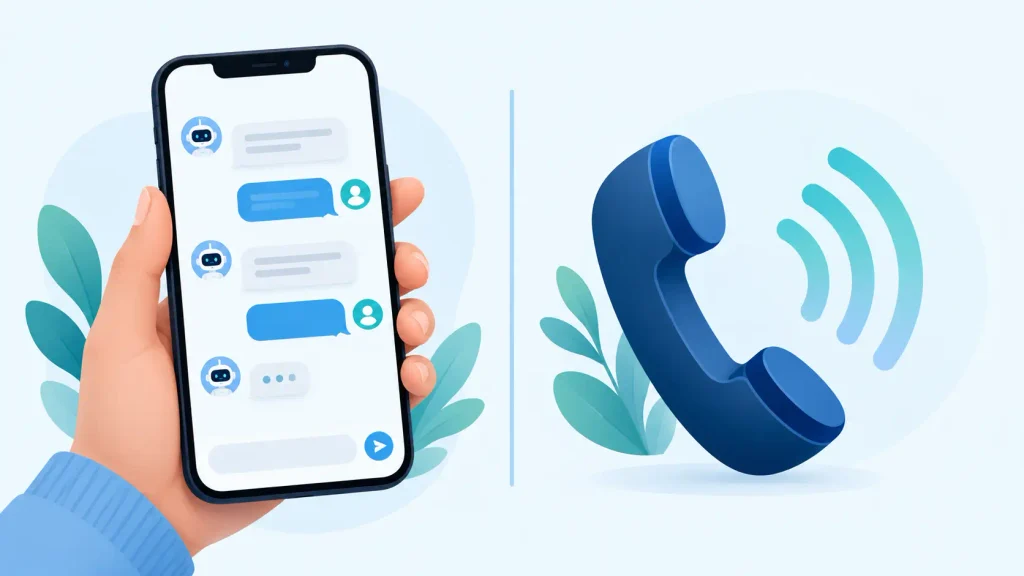
Here’s a simple way to think about the difference.
| AI chatbot | AI voice agent | |
|---|---|---|
| Where it works | Website, WhatsApp, app, social messages | Phone calls |
| Best for | Bookings, FAQs, forms, reminders, sharing links and documents | Answering inbound calls, booking over the phone, call-backs, appointment confirmations |
| Patient type | Comfortable typing or messaging | Prefers to talk, older patients, patients on the move |
| Main strength | Can share links, images and forms in the chat | Takes pressure off the phone line, so fewer calls go unanswered |
| Watch out for | Needs a clear way to reach a human | Harder to get right, accents and background noise matter, so start with a few simple call types |
For most clinics, the sensible order is chat first, since it’s quicker to set up and easier to test, and voice second, once you know which calls eat up the most time. If your phone line is the main pain point, you might flip that order. Either way, it’s the same underlying idea: let software take the routine requests so people can handle the rest.
What chatbots in healthcare should never do
Healthcare is not retail. A wrong answer about shoe sizes costs someone a return trip. A wrong answer about a symptom can cost much more. So the most important design decision isn’t what the chatbot can do, it’s where it must stop.
- It shouldn’t diagnose. Research backs the caution. The 2024 JMIR review mentioned earlier found only moderate diagnostic accuracy, especially for complex conditions, and in one study the chatbot’s first suggestion matched the clinicians’ only about half the time (JMIR Medical Informatics). Use the bot to collect information and route patients, and leave the diagnosis to your doctors.
- It shouldn’t handle emergencies on its own. If a patient mentions chest pain, difficulty breathing, severe bleeding or thoughts of self-harm, the bot’s only job is to tell them clearly to contact emergency services or your emergency line, and to alert your team.
- It shouldn’t pretend to be a person. Tell patients they’re talking to an automated assistant. People are fine with that when you’re honest and angry when you’re not.
- It shouldn’t be the only way in. Always give patients an easy route to a real human, by phone or chat.
- It shouldn’t guess. If the answer isn’t in the material you gave it, the right reply is “I’m not sure, let me connect you with our team,” not a confident invention.
The same review also points out something worth remembering: chatbots lack empathy, and some patients prefer to share sensitive things with a person. A chatbot is good at logistics. A nurse is good at reassurance. Plan for both.

Patient data and privacy: what to check before you go live
Chatbots in healthcare are only useful if patients can trust them with their details. Rules here are the US ones, and none of this is legal advice, so treat it as a starting checklist for a conversation with your lawyer or compliance officer.
When a vendor creates, receives, maintains or transmits protected health information on your behalf, it’s generally a business associate, and you need a signed business associate agreement (BAA) with it. The Department of Health and Human Services spells this out for cloud providers: a BAA is required, the provider stays a business associate even if it only stores encrypted data and doesn’t hold the key, and the agreement should cover security incident reporting and what happens to the data when the contract ends (HHS guidance on HIPAA and cloud computing). In plain words: if a chatbot vendor won’t sign a BAA, it shouldn’t be touching patient information.
Whatever else applies to you, including state privacy laws, ask any chatbot provider these questions:
- Where is patient data stored, and who can access it?
- Is data encrypted when it’s stored and when it travels?
- Will you sign a BAA or a data processing agreement?
- Can we delete a patient’s conversation on request?
- Is our data used to train models for other customers?
- What happens, and how quickly do you tell us, if there’s a breach?
Also keep the bot’s job narrow. The less sensitive information it collects, the less there is to protect. If a conversation doesn’t need a diagnosis or an ID number, don’t ask for one.
How to get started with chatbots in healthcare without overcomplicating it
You don’t need to automate everything in one go. Clinics that do well with chatbots usually follow a simple path.
- Find your top ten questions. Go through your last month of calls, emails and WhatsApp messages. The same questions will show up again and again. Those are your starting point.
- Pick one or two jobs. Appointment booking and FAQs are the usual first picks because they’re easy to measure and low risk.
- Feed it your real information. Doctor schedules, fees, services, location, preparation instructions and policies. A chatbot is only as accurate as what you give it, so keep it up to date.
- Set the hand-off rules. Decide what the bot must never answer, which topics go straight to a person, and what the bot says when it doesn’t know.
- Test it with your own staff first. Ask it awkward questions. Try a wrong spelling, a vague message, a patient in a panic. Fix the gaps before patients see it.
- Launch small and read the conversations. Look at the transcripts every week for the first month. You’ll quickly see what to add or fix.
- Measure what matters. Track missed calls, no-show rate, time to first reply and how many chats were resolved without a human. If those move the right way, add the next use case.
When you’re ready to add phone support, treat the voice agent as a second project with its own test period, not an afterthought.
Final thoughts
So, how can chatbots help in healthcare? Mostly by handling the routine, repetitive parts of patient contact quickly and consistently: booking, reminders, common questions, intake, billing queries and follow-ups. That frees your doctors, nurses and front-desk staff to spend their time on people instead of paperwork, and it stops patients slipping away because nobody answered in time.
Chatbots in healthcare work best when you stay realistic. Start with one or two jobs, keep the chatbot away from diagnosis and emergencies, protect patient data properly, and always leave a path to a human. Do that, and the results are easy to see in fewer missed calls, fuller appointment books and calmer front desks.
At NexChatBot we build AI agents and AI voice agents for businesses, including healthcare. The simplest way to judge whether it fits your clinic is to try it on your own patient questions. You can start a free trial here and see how it handles a few of the questions your front desk answers every day.
Mostly by absorbing repetitive work. Fewer routine calls reach your staff, fewer appointments are missed, and fewer hours go into typing up intake forms. The saving shows up as time freed and slots filled rather than a single line on a bill.
No, and it shouldn’t try. It takes the routine requests so your receptionist can focus on patients who are in front of them or on calls that need judgement and warmth.
It can be, if the provider handles data properly and the right agreements are in place, such as a BAA under HIPAA in the US. Ask where data is stored, who can see it and how breaches are handled, and keep the bot to the minimum information it needs.
It shouldn’t. Research on chatbots for patient history-taking shows only moderate diagnostic accuracy, so the safe role is information, scheduling and routing, with clinical questions going to a qualified person.
A chatbot works through text on your website or messaging apps. An AI voice agent answers phone calls and speaks with the patient. Many clinics begin with chat and add voice later.
That depends on scope. A bot that answers questions and books appointments from your existing information is much quicker than one connected to several internal systems. A free trial lets you test the basics before committing.